These cookies may be set through our site by our advertising partners. They may be used by those companies to build a profile of your interests and show you relevant adverts on other sites. They do not store directly personal information, but are based on uniquely identifying your browser and internet device. If you do not allow these cookies, you will experience less targeted advertising.
Cookies Details
Name: _gat_gtag_xxxxxxxxxxxxxxxxxxxxxxxxxxx
Host: fibrelite.com
Duration: A few seconds
Type: First Party
Category: Targeting Cookies
Description: Google Analytics
---
Name: _fbp
Host: fibrelite.com
Duration: 90 Days
Type: First Party
Category: Targeting Cookies
Description: Used by Facebook to deliver a series of advertisement products such as real time bidding from third party advertisers.
---
Name: bcookie
Host: linkedin.com
Duration: 731 Days
Type: Third Party
Category: Targeting Cookies
Description: This domain is owned by LinkedIn, the business networking platform. It typically acts as a third party host where website owners have placed one of its content sharing buttons in their pages, although its content and services can be embedded in other ways. Although such buttons add functionality to the website they are on, cookies are set regardless of whether or not the visitor has an active Linkedin profile, or agreed to their terms and conditions. For this reason it is classified as a primarily tracking/targeting domain.
---
Name: lidc
Host: linkedin.com
Duration: 1 Day
Type: Third Party
Category: Targeting Cookies
Description: This domain is owned by LinkedIn, the business networking platform. It typically acts as a third party host where website owners have placed one of its content sharing buttons in their pages, although its content and services can be embedded in other ways. Although such buttons add functionality to the website they are on, cookies are set regardless of whether or not the visitor has an active LinkedIn profile, or agreed to their terms and conditions. For this reason it is classified as a primarily tracking/targeting domain.
---
Name: UserMatchHistory
Host: linkedin.com
Duration: 30 Days
Type: Third Party
Category: Targeting Cookies
Description: This domain is owned by LinkedIn, the business networking platform. It typically acts as a third party host where website owners have placed one of its content sharing buttons in their pages, although its content and services can be embedded in other ways. Although such buttons add functionality to the website they are on, cookies are set regardless of whether or not the visitor has an active LinkedIn profile, or agreed to their terms and conditions. For this reason it is classified as a primarily tracking/targeting domain.
---
Name:
Host: www.facebook.com
Duration: Session
Type: Third Party
Category: Targeting Cookies
Description: This domain is owned by Facebook, which is the world's largest social networking service. As a third party host provider, it mostly collects data on the interests of users via widgets such as the 'Like' button found on many websites. This is used to serve targeted advertising to its users when logged into its services. In 2014 it also started serving up behaviourally targeted advertising on other websites, similar to most dedicated online marketing companies.
---
Name: VISITOR_INFO1_LIVE
Host: youtube.com
Duration: 180 Days
Type: Third Party
Category: Targeting Cookies
Description: This cookie is used as a unique identifier to track viewing of videos.
---
Name: YSC
Host: youtube.com
Duration: Session
Type: Third Party
Category: Targeting Cookies
Description: YouTube is a Google owned platform for hosting and sharing videos. YouTube collects user data through videos embedded in websites, which is aggregated with profile data from other Google services in order to display targeted advertising to web visitors across a broad range of their own and other websites.
---
Name: VISITOR_PRIVACY_METADATA
Host: youtube.com
Duration: 179 Days
Type: Third Party
Category: Targeting Cookies
Description: YouTube is a Google owned platform for hosting and sharing videos. YouTube collects user data through videos embedded in websites, which is aggregated with profile data from other Google services in order to display targeted advertising to web visitors across a broad range of their own and other websites.
---
Name: DEVICE_INFO
Host: youtube.com
Duration: 179 Days
Type: Third Party
Category: Targeting Cookies
Description: YouTube is a Google owned platform for hosting and sharing videos. YouTube collects user data through videos embedded in websites, which is aggregated with profile data from other Google services in order to display targeted advertising to web visitors across a broad range of their own and other websites.
---
Name: bscookie
Host: www.linkedin.com
Duration: 731 Days
Type: Third Party
Category: Targeting Cookies
Description: This domain is owned by LinkedIn, the business networking platform. It typically acts as a third party host where website owners have placed one of its content sharing buttons in their pages, although its content and services can be embedded in other ways. Although such buttons add functionality to the website they are on, cookies are set regardless of whether or not the visitor has an active Linkedin profile, or agreed to their terms and conditions. For this reason it is classified as a primarily tracking/targeting domain.
---
Name: test_cookie
Host: doubleclick.net
Duration: A few seconds
Type: Third Party
Category: Targeting Cookies
Description: This domain is owned by Doubleclick (Google). The main business activity is: Doubleclick is Googles real time bidding advertising exchange.
---
Name: _GRECAPTCHA
Host: www.google.com
Duration: 180 Days
Type: Third Party
Category: Targeting Cookies
Description: This domain is owned by Google Inc. Although Google is primarily known as a search engine, the company provides a diverse range of products and services. Its main source of revenue however is advertising. Google tracks users extensively both through its own products and sites, and the numerous technologies embedded into many millions of websites around the world. It uses the data gathered from most of these services to profile the interests of web users and sell advertising space to organisations based on such interest profiles as well as aligning adverts to the content on the pages where its customer's adverts appear.
---
Name: lang
Host: ads.linkedin.com
Duration: Session
Type: Third Party
Category: Targeting Cookies
Description: This domain is owned by LinkedIn, the business networking platform. This sub-domain is connected with LinkedIn's marketing services that enable website owners to gain insight into types of users on their site based on LinkedIn profile data, to improve targeting.























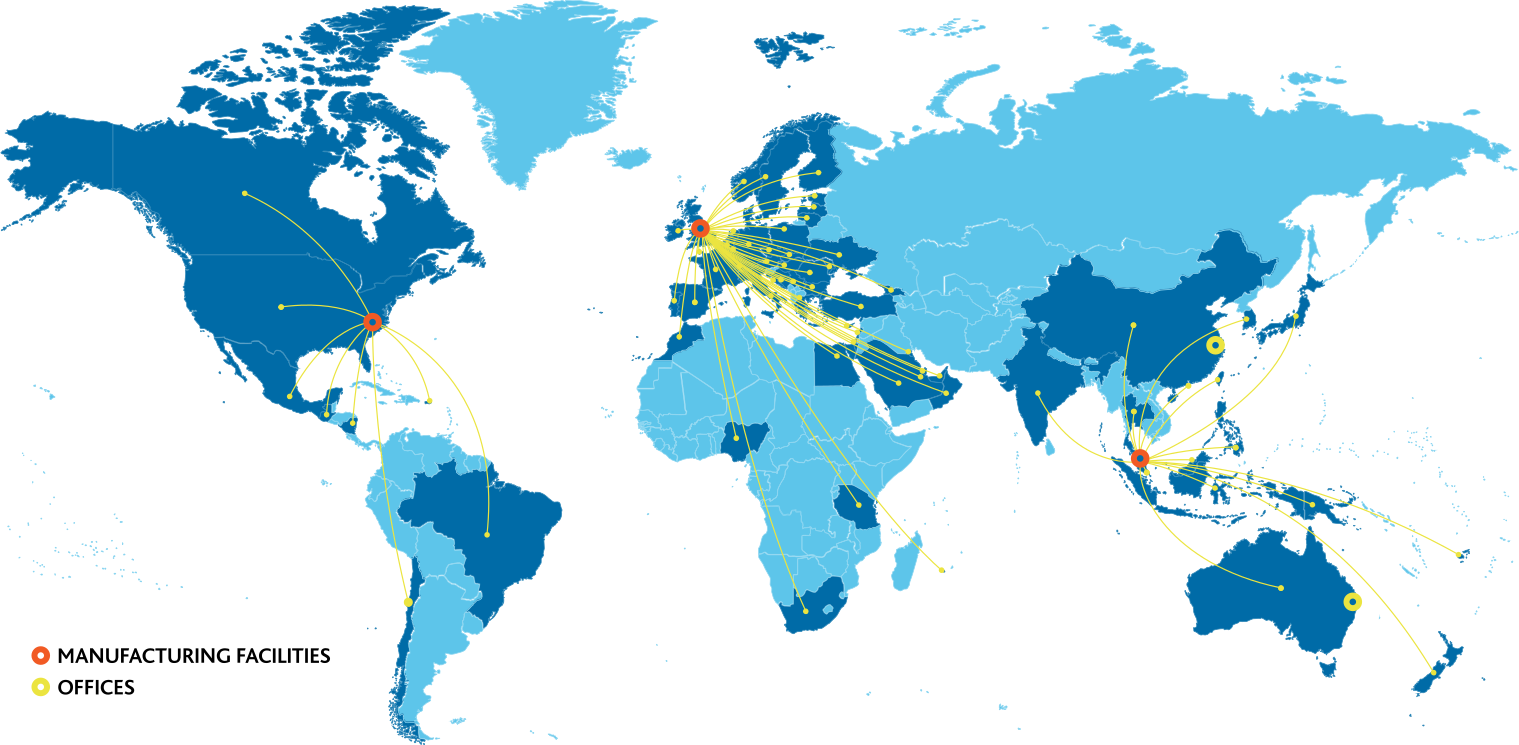
 Europe
Middle East
Africa
US and Canada
Latin America
Asia Pacific
Europe
Middle East
Africa
US and Canada
Latin America
Asia Pacific